Search first, compare identifiers one by one, follow the exact notice, and pause the handover when the version cannot be verified.
Start before the toy changes hands
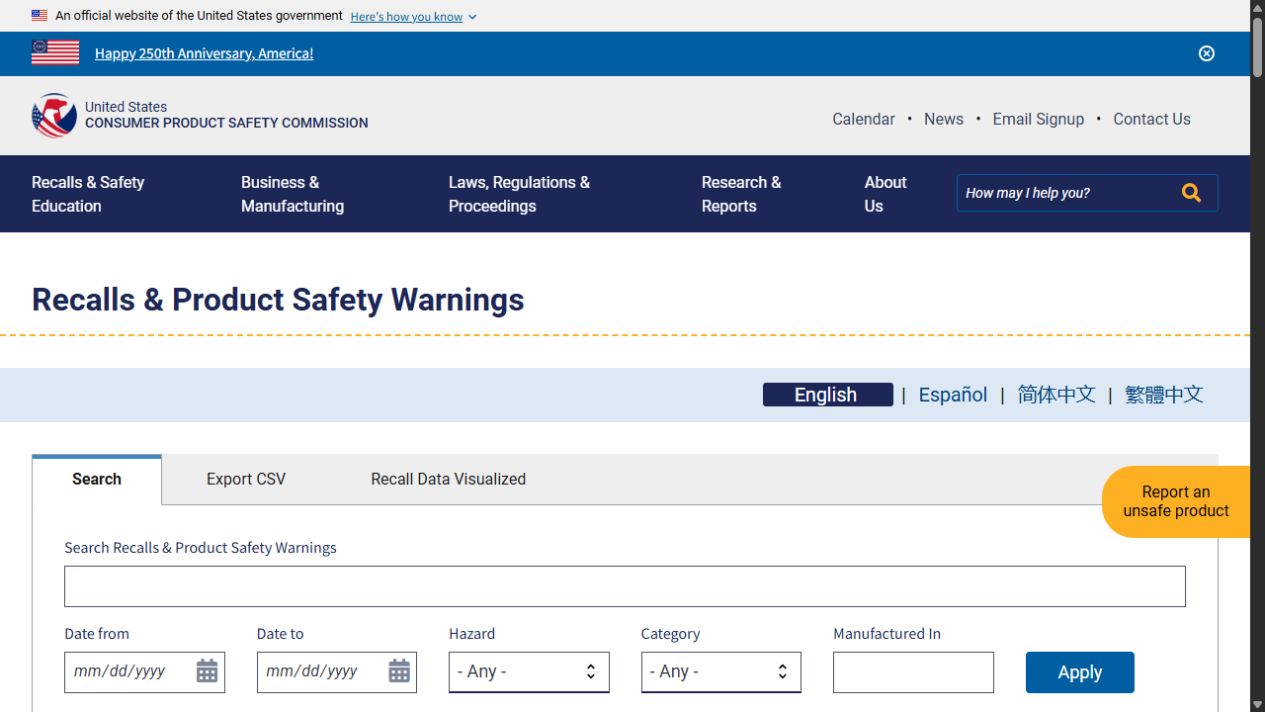
Run a recall check before a toy is gifted, borrowed, sold, donated, or passed to a younger child. CPSC’s recalls and product-safety-warnings page is searchable and its data updates weekly; CPSC also offers a recall app. A search result is the beginning of the review, not the answer. Product families can include many versions, and a recall may cover only certain colors, dates, codes, accessories, or production runs.
Gather the item before searching: brand, exact product name, model number, item or SKU number, date or batch code, color or version, and any packaging or instruction sheet. Photograph labels if they are hard to read. CPSC recall guidance emphasizes product identifiers such as model numbers and date codes, and recall notices commonly show a photograph and explain where identifying labels are found. A seller’s description, memory, or marketplace title is less reliable than those identifiers.
Sources: Recalls & Product Safety Warnings · Recall Posters
Use a five-step matching model
First, search the CPSC recall database by the brand and product type, then by the exact product name or model if you have it. Second, open every plausible notice and compare the product photo and description to the item in hand. Third, compare the stated model, date code, UPC, dimensions, color, included accessory, or other identifiers one by one. Fourth, read the hazard and consumer-action sections in full. Fifth, record the result: exact match, clearly not the recalled version, or unable to verify.
An exact match means following the notice’s consumer action, which may say to stop use, seek a repair, obtain a replacement, return the item, or dispose of it. A clearly different item may remain eligible for ordinary safety checks, but do not call it “cleared” beyond the particular notice you reviewed. If the label is missing or the version cannot be confirmed, treat “unable to verify” as a handover pause rather than guessing from appearance.
Sources: Recalls & Product Safety Warnings · Recall Posters
Leave a useful handover record
Editorial suggestion: add a short card or message with the item: “CPSC checked on 2026-09-19; searched [brand/product]; identifiers compared [list]; result [exact match/not matching/unverified].” This is not a guarantee that a product will never be recalled or that it is safe in every use. It simply makes the review traceable for the next caregiver and avoids a vague claim that someone “looked it up.”
For an online listing or donation, do not hide an uncertainty behind a broad product name. State what label information was available and whether a recall check could be completed. CPSC’s reseller guide notes that searches can use product type, manufacturer, retailer, product name, recall title, or description; the more exact information you retain, the more useful the next check becomes. This is especially valuable for older toys that no longer have original packaging.
Sources: Resellers Guide to Selling Safer Products · Recalls & Product Safety Warnings
Sources & limits
Practical setups are editorial suggestions. Research findings apply to the populations and conditions studied; they are not product tests by Toy Almanac.
- Recalls & Product Safety Warnings ↗
CPSC searchable recalls and warnings database, update cadence, and consumer-action information.
Checked 2026-09-19 - Recall Posters ↗
CPSC recall guidance describing product images, model numbers, and date-code callouts as identifying information.
Checked 2026-09-19 - Resellers Guide to Selling Safer Products ↗
CPSC guidance on recall-app searches using product type, maker, retailer, product name, title, or description.
Source date: 2025-02-05 · Checked 2026-09-19